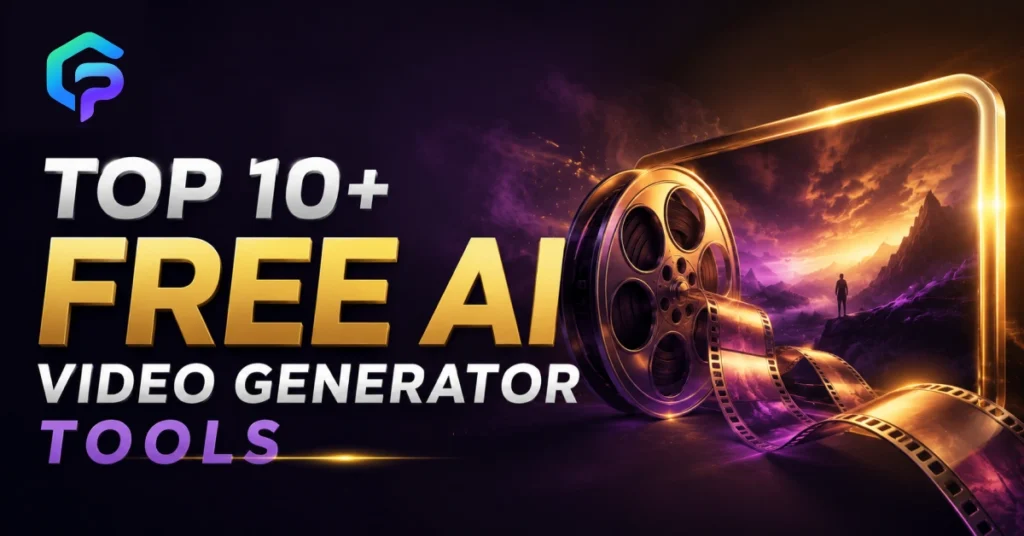
Top 10+ Free AI Video Generator Tools
Most video concepts die at the editing stage, not the idea stage. The reality is you don’t need a camera crew or an editing degree anymore. This is because a free AI movie generator can take a text query and create a polished video in just a few minutes. According to a new survey by Pew Research, short video is currently the most consumed type of entertainment for US individuals under the age of 30.
So creators are looking for tools that are quick and affordable. In this tutorial, we’ll walk you throughout 10 free AI video generator tools to test in 2026. We will also throw some light on what each one truly performs and how to choose the correct one for your content.
What Is a Free AI Video Generator?
A free AI video generator is software that turns text, images, or scripts into video clips without filming or manual editing. You type a prompt or upload a photo. Then the AI builds the scenes, motion, and often the voiceover for you.
It is pretty different from your typical video editor. A traditional one requires video you already have. The clip is generated using an AI text to video generator. It is through trained models that understand scenes, lighting, as well as camera movement.
How Does a Free AI Video Generator Work?
Most tools follow the same basic steps: you enter a prompt or script, the AI generates a script and visuals, then it renders a video with sound. Some also add captions and translate the output into other languages automatically.
The quality depends on the model behind the tool. Many platforms now plug into models like Veo, Kling, or Sora, so the same AI video generator online free platform can produce very different results depending on which model you pick.
Which Free AI Video Generator Tools Are Worth Trying in 2026?
Below is a mix of well-known names and smaller, growing platforms. All of them offer a free AI video maker plan, so you can test before committing to anything paid.
GenZpark
GenZpark is built for creators and small teams who want a straightforward path from prompt to finished clip without juggling multiple apps for scripts, voice, and export. It is designed as a practical best AI video generator USA option for anyone starting out with AI video.
Key features:
- Text prompt to video workflow in one place
- Built for content creators, marketers, and small business teams
- Focused on fast turnaround for social and marketing clips
Higgsfield
Higgsfield gives you one workspace with access to several leading AI video models at once, instead of locking you into a single engine. It positions itself as a serious AI video creation tools platform for creators who want more control over camera and motion.
Key features:
- Access to Seedance 2.0, Kling 3.0, Veo 3.1, Wan 2.7, and Sora 2 in one workspace
- Cinema Studio feature with real optical physics for cinematic shots
- Multi-axis motion control for precise camera movement
- Turns static product photos into video ads
Leonardo AI
Leonardo focuses on consistency, which matters if you are building a series of clips that need to look like they belong together. It works well as an AI video generator USA creators use for campaigns and storyboards.
Key features:
- Generates video from text prompts or animates still images
- Uses start frames and image references to anchor style
- Maintains visual consistency across multiple shots
- Pre-built workflows called Blueprints for faster output
DeepAI
DeepAI keeps things simple with a no-frills video generator built into its wider AI tool suite. It is a good pick if you want a free AI video generator tool option without a steep learning curve.
Key features:
- Generates video directly from text prompts
- Can animate a still image into motion
- Sits inside DeepAI’s broader library of AI creative tools
Deevid AI
Deevid AI leans into speed, generating clips and images in seconds using several major underlying models. It markets itself as the best free AI video generator USA creators use for quick social content.
Key features:
- Supports Veo 3.1, Nano Banana, Sora 2, and Kling models
- Turns a single photo into a moving clip
- Converts product photos into ready-to-use ad videos
- Adds text-to-speech voiceover and royalty-free soundtracks
Powtoon
Powtoon is built around a full production pipeline, not just raw clip generation. It works as an AI video creation tools hub for teams that need scripts, avatars, and voiceover together.
Key features:
- Turns documents, PDFs, and presentations into videos automatically
- Generates scripts and natural-sounding voiceovers from text
- Custom AI avatars with lip syncing and multiple voice options
- Automatic captions and subtitles for accessibility
Canva
Canva’s video tool sits inside its wider design platform, which makes it useful if you already build graphics there. Its Create a Video Clip feature is one of the more recognizable AI text to video generator tools on the first page of search results.
Key features:
- Powered by Google’s Veo 3 model for cinematic footage
- Generates up to eight seconds of 16:9 video per prompt
- Includes synchronized audio, dialogue, and sound effects
- Access to templates, stickers, and a curated media library
InVideo AI
InVideo AI is widely used by marketers who need finished, publish-ready videos fast. It is a strong AI video generator online free choice when you want stock footage handled for you automatically.
Key features:
- Free to use and works in any modern browser
- Searches over 16 million stock images and videos for your script
- Adds AI voiceovers in more than 50 languages
- Magic Box editing lets you change scenes with simple text commands
Synthesia
Synthesia is built around presenter-style videos with avatars, which suits training and explainer content. It ranks among the top best AI video generator 2026 options for business and educational use.
Key features:
- Converts scripts, PDFs, slides, or URLs directly into video
- Custom AI avatars with lip syncing across many languages
- Translates finished videos into more than 160 languages
- Generates cinematic B-roll clips from a simple text prompt
Final Thoughts
Free AI video tools have moved past gimmicky demos to really helpful software for marketers and small teams. The appropriate one for you depends on whether you want speed, avatars, stock video, or several AI models in one spot.
GenZpark is built for exactly this kind of straightforward, fast workflow. It takes a prompt through from concept to final clip without requiring you to master numerous apps. Want a free AI video generator that does all the hard work for you? Try GenZpark now and view your first video in minutes.
FAQs
Is there a truly free AI video generator with no watermark?
Some platforms offer a free AI video generator without a watermark on limited plans, but most add a watermark unless you upgrade, so check each tool’s free tier before you rely on it.
What is the best free AI video generator for beginners?
Tools like Canva and InVideo AI are considered beginner-friendly because they guide you through prompts, templates, and voiceover in one simple flow.
Can I turn a photo into a video for free?
Yes, several tools, including Pixlr, Deevid AI, and Higgsfield, let you upload a photo and add realistic motion at no cost on their free plans.
Do free AI video generators add background music automatically?
Many do, including Deevid AI and Synthesia, which generate matching voiceovers and royalty-free soundtracks alongside the video itself.
How long can a free AI-generated video be?
Free plans usually cap clips at between five and ten seconds per generation, though you can stitch multiple clips together into a longer video.
Which AI video generator works best for social media content?
Vertical, fast-turnaround tools like Pixlr and Deevid AI are built with TikTok and Reels-style formats in mind.
Can I use AI-generated videos for commercial marketing?
Most platforms allow commercial use on paid plans, but always check the specific license terms of each tool before publishing branded content.
Do I need editing skills to use a free AI video generator?
No, that is the core purpose of these tools. You type a prompt or upload a script, and the AI handles scenes, voice, and pacing for you.